Not screen time.
Your time.
nuff counts the minutes you spend in the apps that matter to you. Set a daily goal for some and a daily limit for others. Enough is a number you pick.
Download on theApp StoreFree for one app. Try nuff+ free for 7 days, then upgrade once. No subscription.
How it works
Set it up once. nuff counts from there.
Choose your apps
Apps you want to use more, or less. Up to 20.
Set a goal or a limit
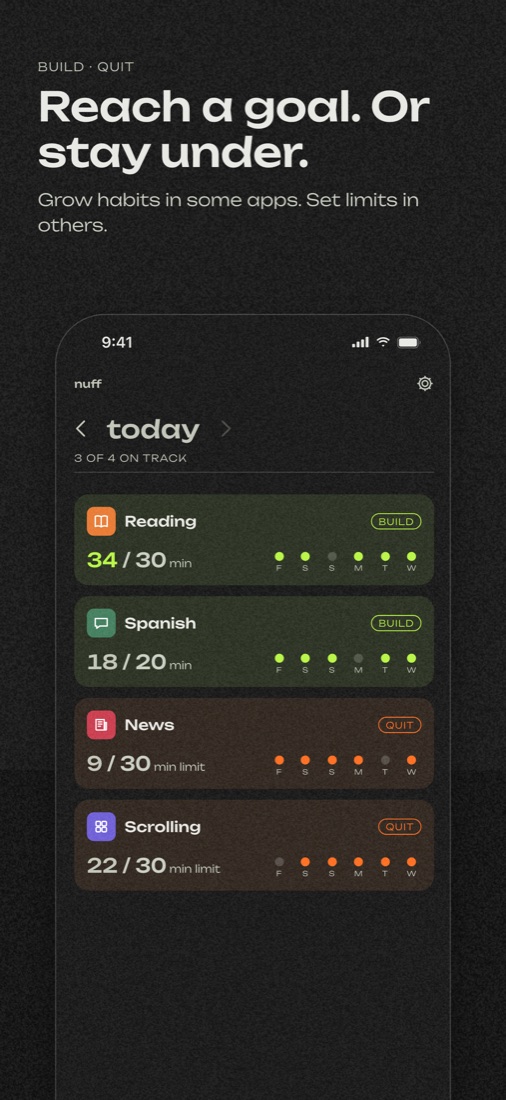
A daily goal to reach, or a daily limit to stay under. In minutes.
Add a widget
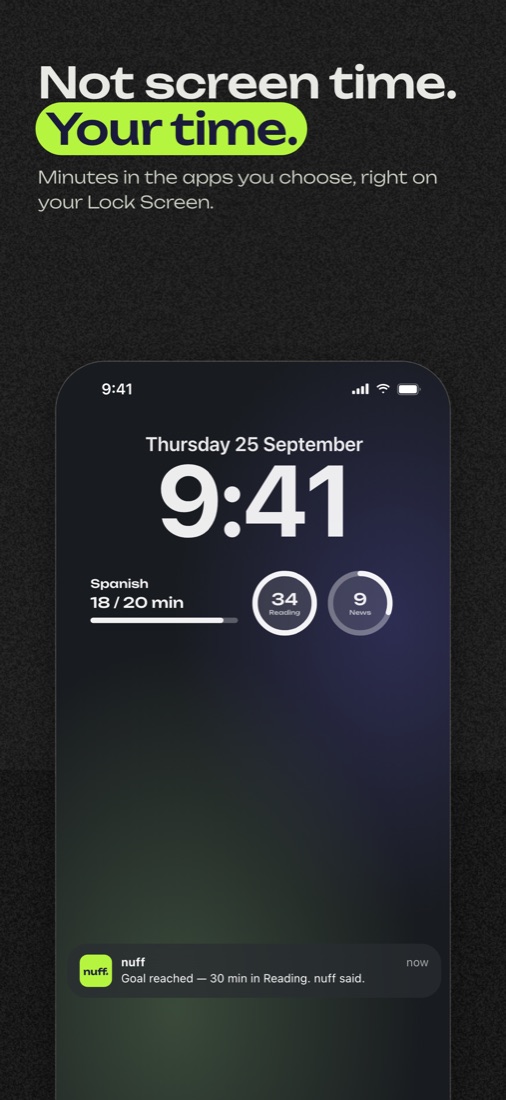
See today’s minutes on your Home Screen or Lock Screen. Nothing to log.
Goals and limits
Use some apps more. Others less.
Daily goal
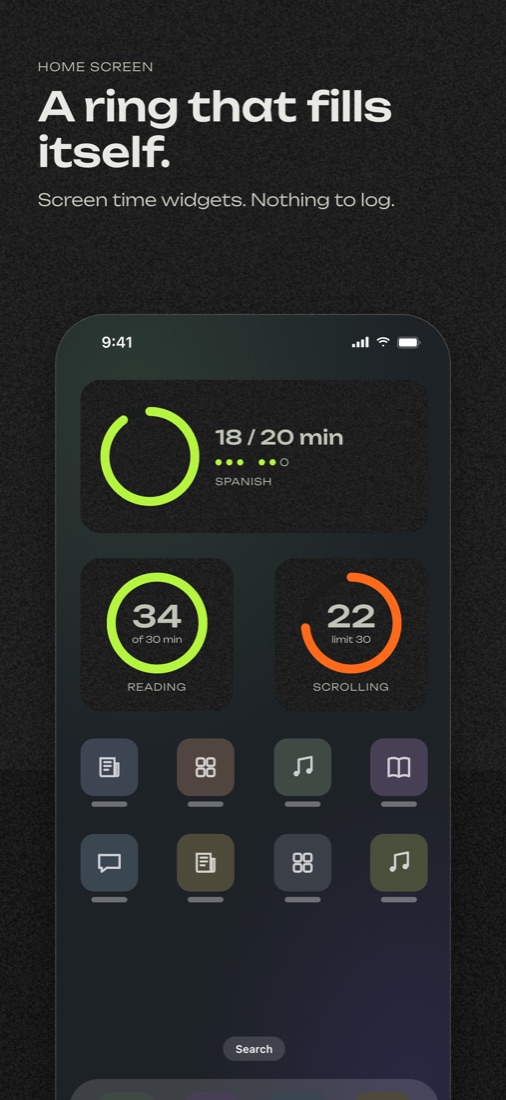
20 minutes of Spanish. 30 minutes of reading. The ring fills as you go and shows a checkmark when you reach your goal.
Daily limit
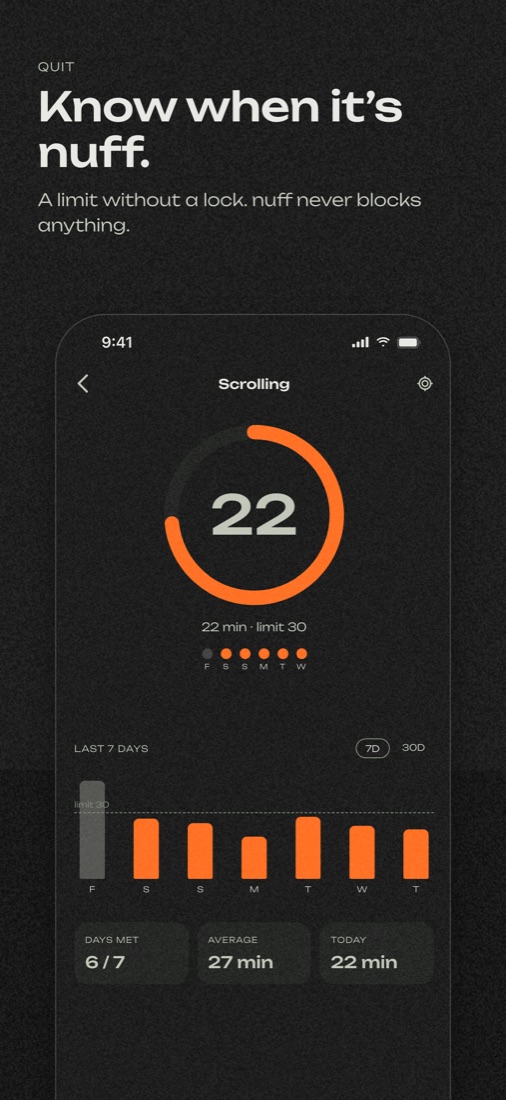
Set a limit for a social app. The ring shows how many minutes are left. nuff doesn’t block apps. It just counts.
Widgets
Your ring, one glance away.
Privacy
Everything stays on your iPhone.
- Doesn’t read what you type
- Doesn’t see the websites you visit
- Doesn’t send your data anywhere
Apps can only count usage through Apple’s Screen Time. nuff counts minutes just for the apps you choose. There’s no account, no server and no analytics.
Price
Upgrade once. No subscription.
nuff
- 1 app
- A daily goal or limit, with its ring
- Home Screen widgets, every size
- A notification when you reach your goal
nuff+
- Everything in free
- Lock Screen widgets
- Up to 20 apps (Apple’s max)
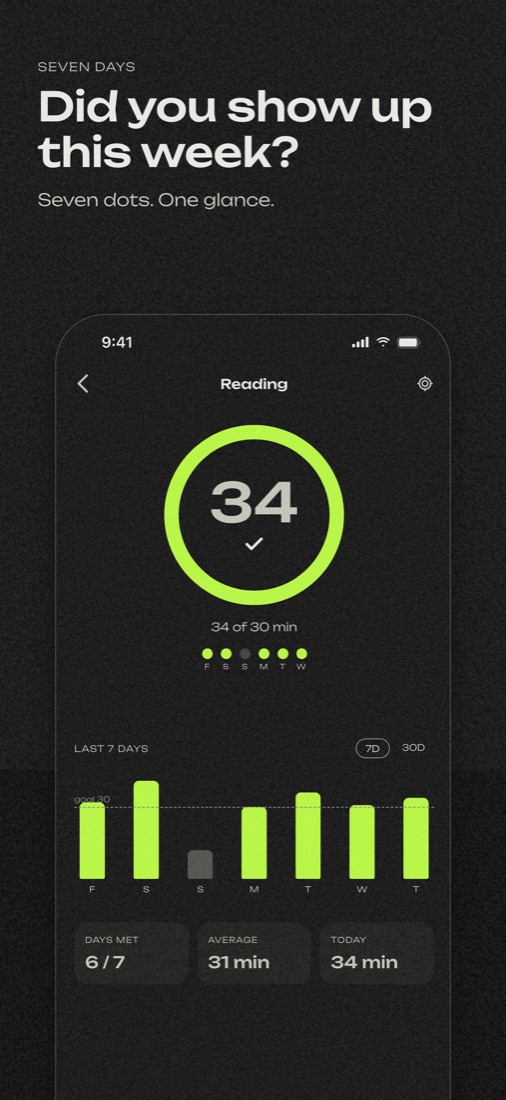
- Weekly and monthly stats: charts, your daily average and your best day
- All your history, in a calendar that marks the days you hit your goal
One payment. No subscription. Works with Family Sharing. Try it free for 7 days first.
Questions
Asked and answered.
Does nuff block apps?
No. nuff only counts. For a reminder at your limit, set the same limit in iOS: Settings > Screen Time > App Limits > Add Limit. nuff keeps counting either way.
Why does nuff need Screen Time access?
Apps can only count usage through Screen Time. The permission lets nuff get minute counts for the apps you choose. It doesn’t read what you type or see the websites you visit.
Why is the number sometimes a few minutes behind?
nuff updates every minute while you use the app, sometimes with a short delay. After the first hour, iOS reports minutes in larger steps. Widgets refresh about every 5 minutes. Opening nuff brings everything up to date.
Can it show my usage from before I installed it?
No. Apple doesn’t share earlier Screen Time history with apps. Your history in nuff starts the day you add an app.
What do I need?
An iPhone with iOS 17.4 or later, with Screen Time turned on.
How does the free trial work?
You can try nuff+ free for 7 days. Nothing renews and you won’t be charged. After 7 days, nuff stays free for one app. To keep Lock Screen widgets, stats and extra apps, upgrade for $4.99, one time. nuff keeps counting all your apps in the meantime, so your history is there when you upgrade.
I bought nuff+ on another device.
Open nuff > Settings > nuff+ > Restore. Use the same Apple Account you bought it with. It also works with Family Sharing.